Prep faster. Narrate with more confidence.
Story Mimic helps audiobook narrators prepare scripts faster with inline pronunciations, character voice tracking, and a script built for real narration work.
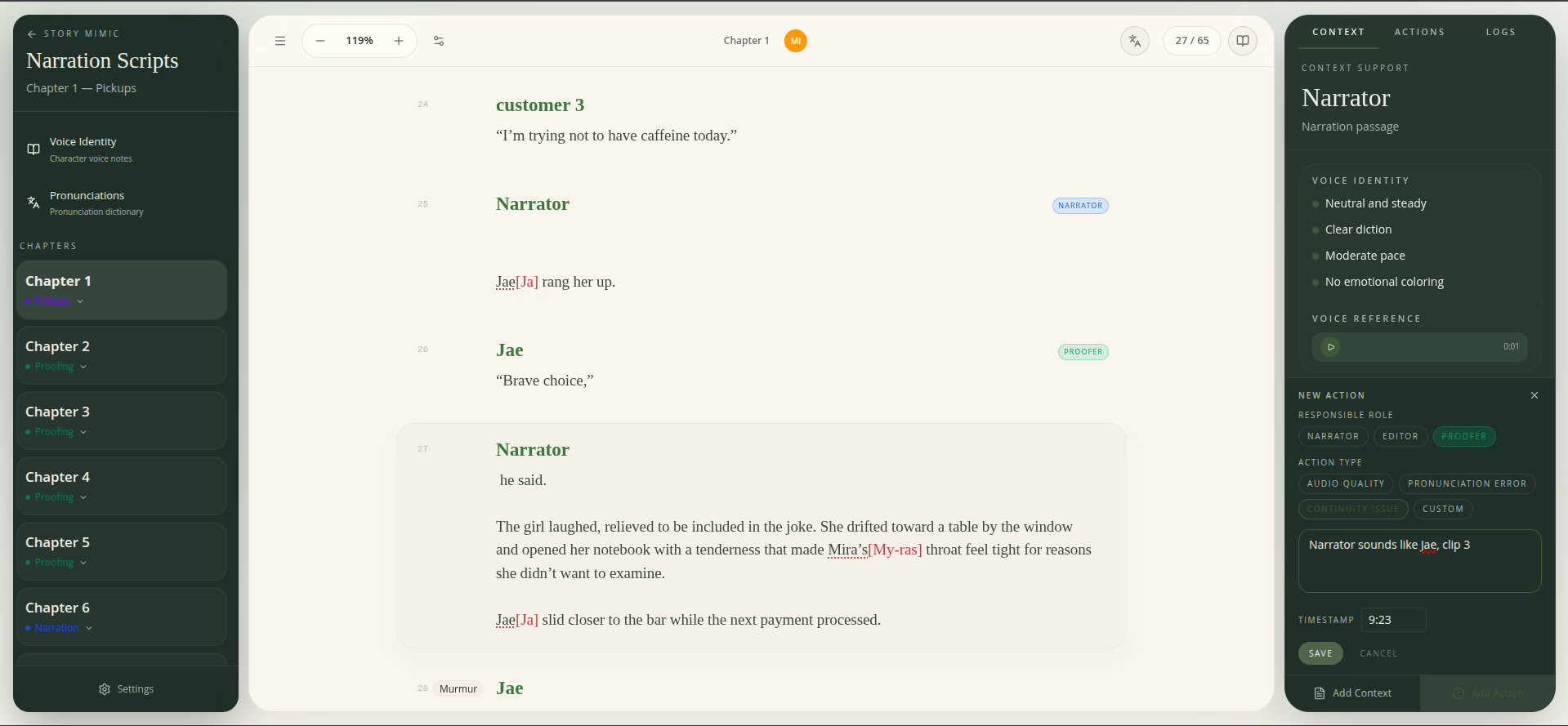
Narration Script View
Too much prep. Still not ready.
Scattered notes, pronunciation hunting, character voices blurring together — most narrators spend more time getting organized than getting better.
Story Mimic puts everything you need for narration prep in one place, so you can stop juggling tools and start feeling ready.
Prep while you read
One-pass prep
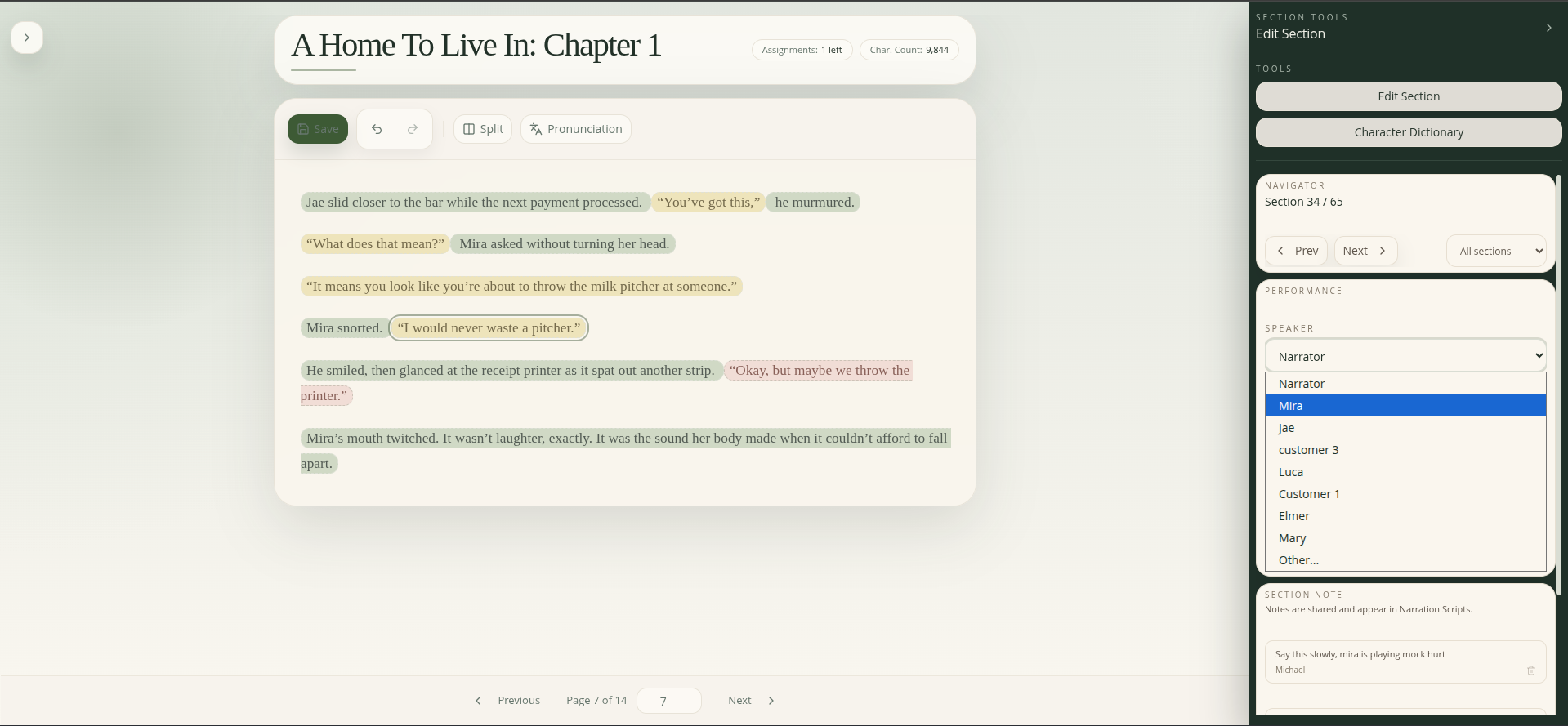
One-pass prep
Mark speakers, capture cues, and add notes directly in the script. No more switching between tools or doing scattered rereads.
Notes where you need them
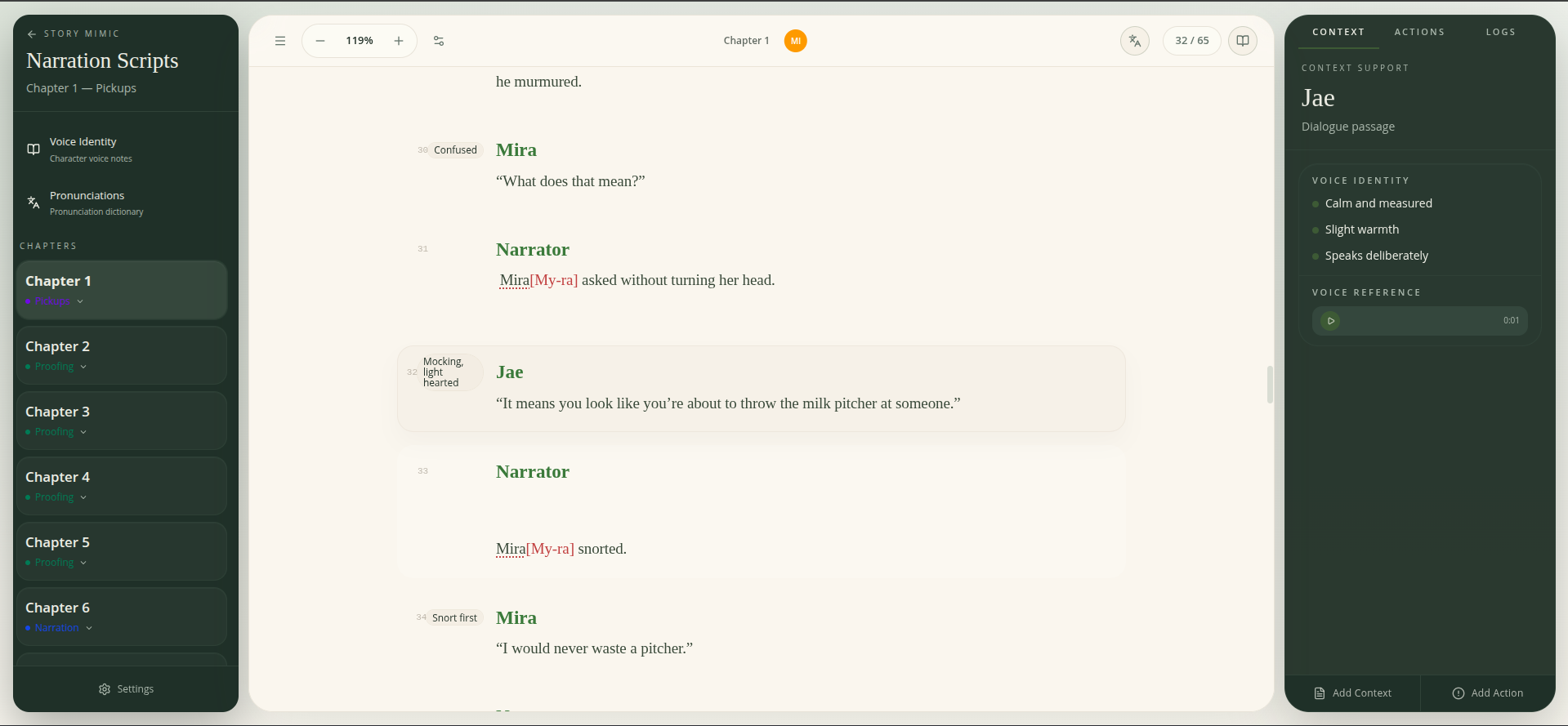
Notes where you need them
Add delivery cues, section notes, and performance reminders right next to the lines they apply to.
Speaker tracking built in
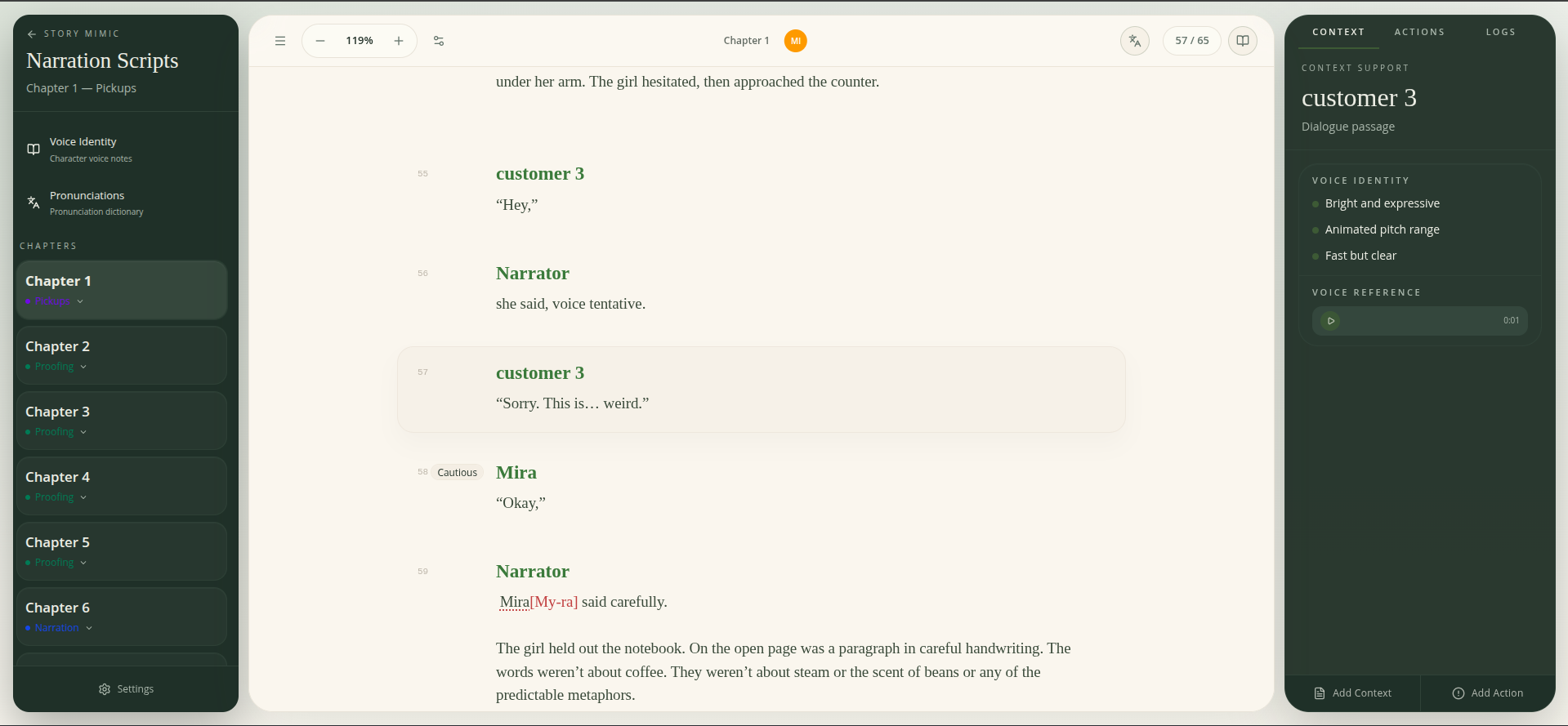
Speaker tracking built in
Every line knows who is speaking. No more re-reading dialogue to figure out whose voice you need.
Get pronunciations right faster
Highlight a word as you read to add it to your pronunciation dictionary. Story Mimic brings that guidance back into the script so you can check it quickly when it matters.
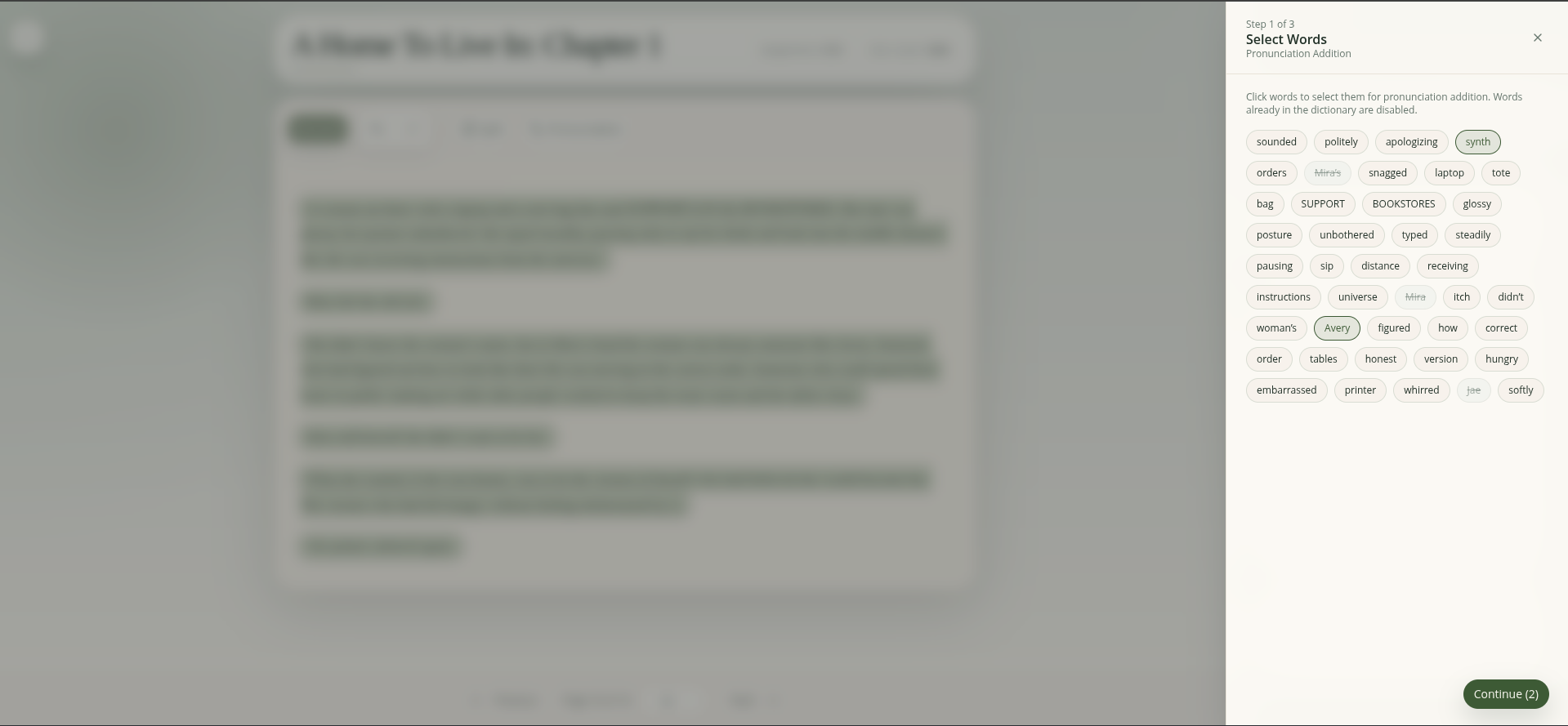
Highlight to add
Highlight to add
See an unfamiliar name or term? Highlight it to create a pronunciation entry without leaving the page.
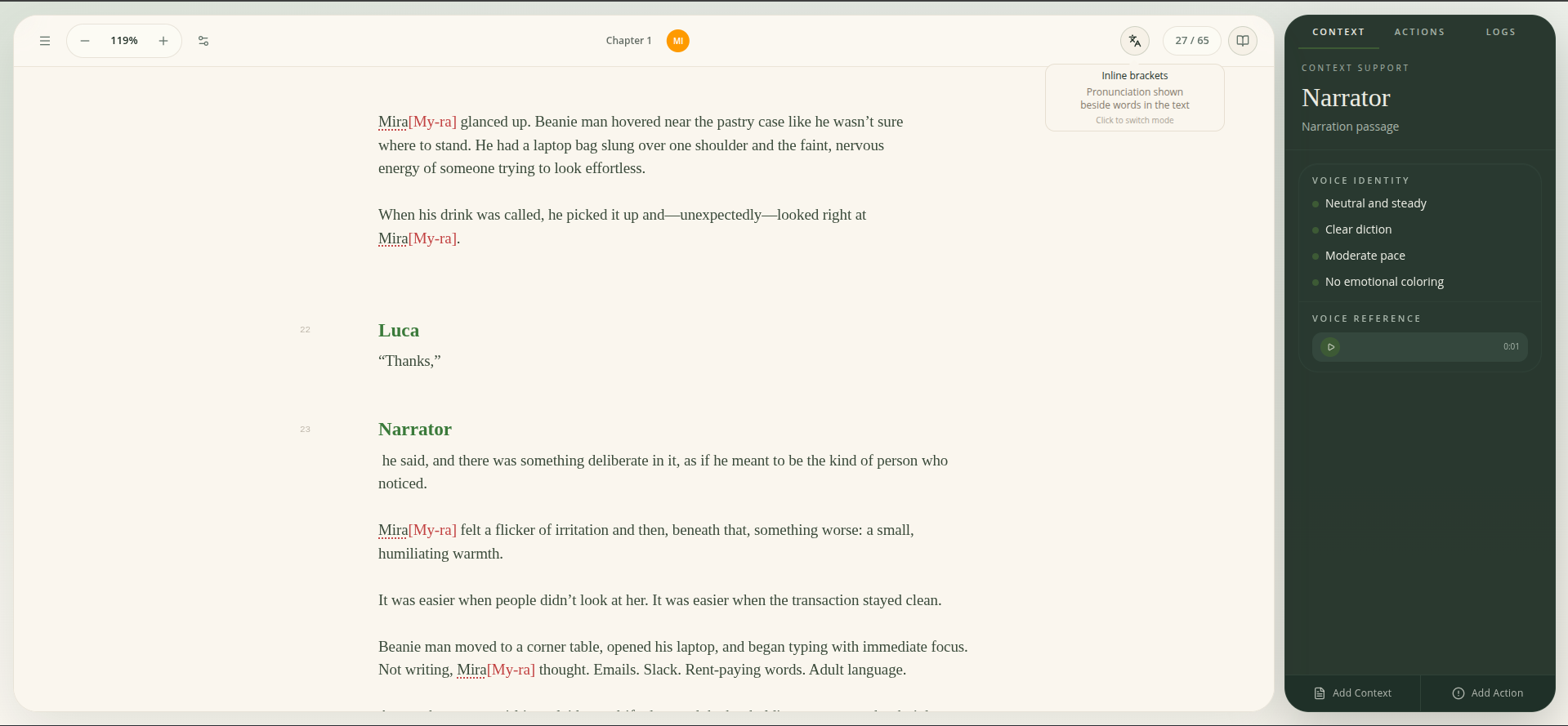
Inline pronunciations
Inline pronunciations
Pronunciation guidance appears right in the script where you need it — no flipping to a separate list or losing your place mid-read.
Keep character voices clear and consistent
Voice profiles
Create a voice profile for each character with notes on tone, accent, and energy. Quickly remind yourself how a voice should sound before any scene.
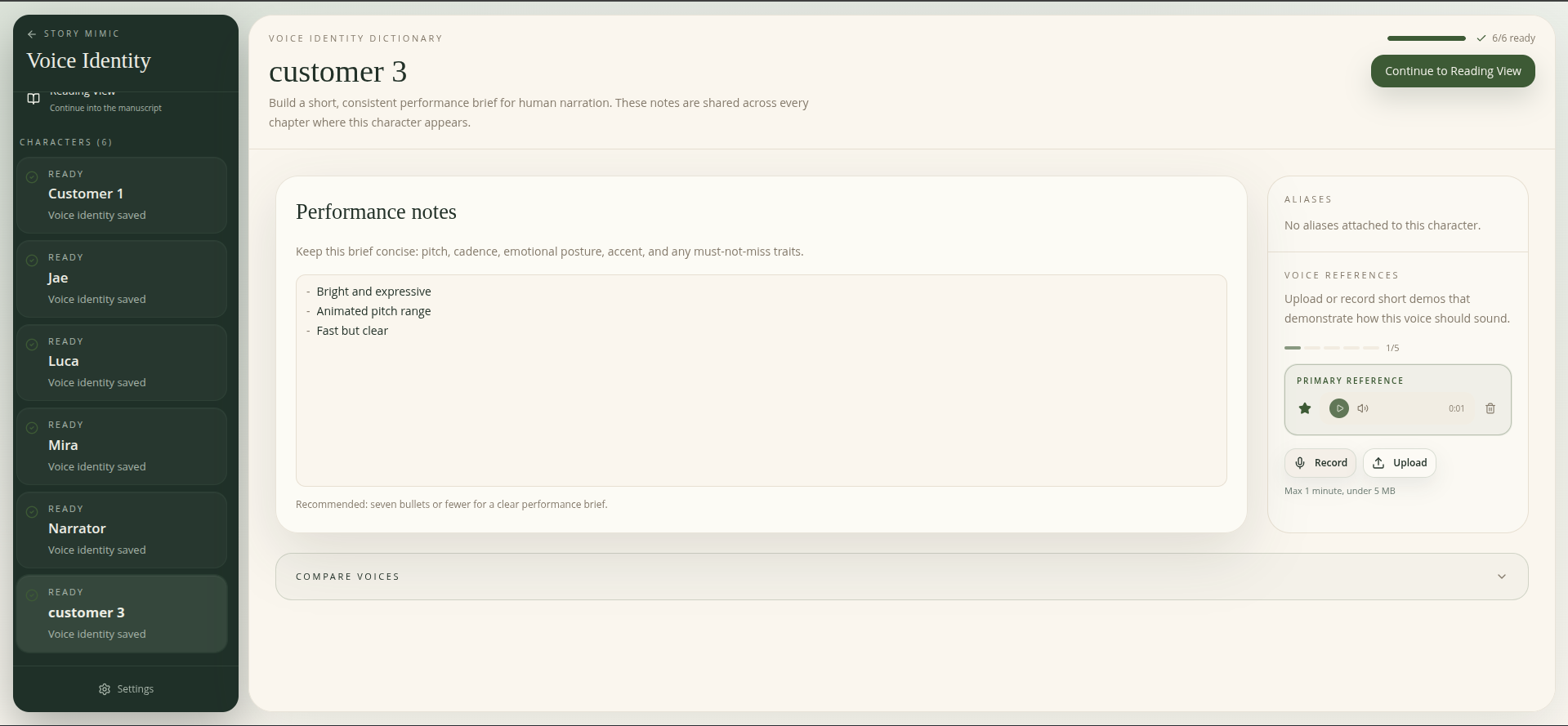
Voice profiles
Quick reference playback
Save a favorite audio reference for any character and play it back in one click. Hear the voice you chose before jumping into dialogue.
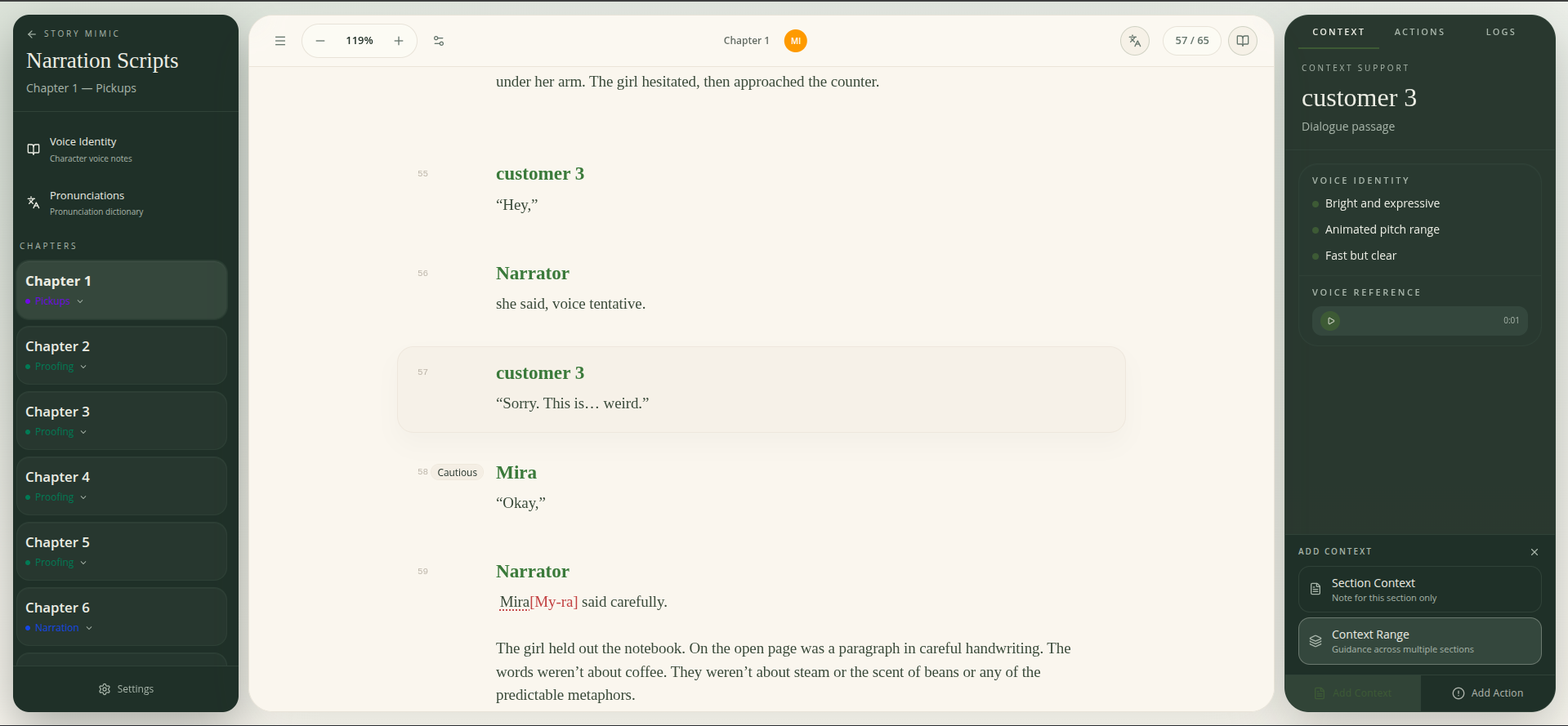
Quick reference playback
Voice comparison
Compare two or more character voices side by side to make sure they're distinct enough. Catch overlap before a listener does.
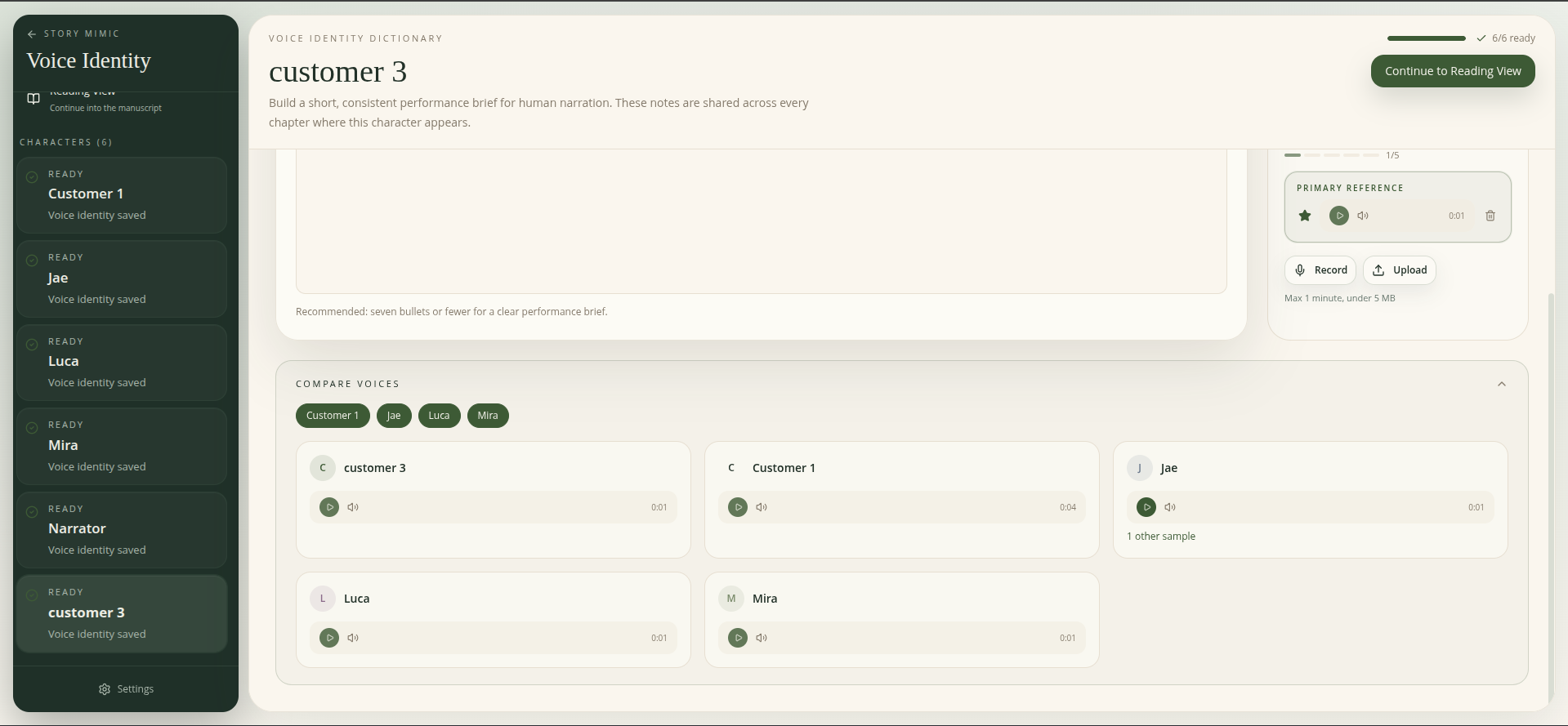
Voice comparison
Everything you need for narration prep
Prep once. Use it through the whole book.
The work you do during chapter prep carries forward into narration, editing, and proofing. Instead of starting over at each stage, your decisions stay with the script so you can finish more efficiently.
Start narrating like a pro
Prep faster, get pronunciations right, keep your characters distinct, and feel more ready before you hit record.